| Button |
Name |
Query Navigator Options and Descriptions |
 |
Zoom Out |
Steps the map view out to illustrate more area with
less detail. |
 |
Zoom In |
Steps the map view in to illustrate less area with
greater detail. |
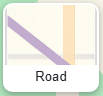 |
Road |
Standard street map with roads, labels, and geographic features. The default style for navigation and general use. |
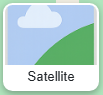 |
Satellite |
Aerial imagery without labels. Useful for visualizing land use, property boundaries, or natural features. |
 |
Dark |
A dark-themed base map optimized for nighttime or low-light viewing, with subdued colors and labels. |